For landlords with a handful of units
Rent, repairs and leases, kept in one book.

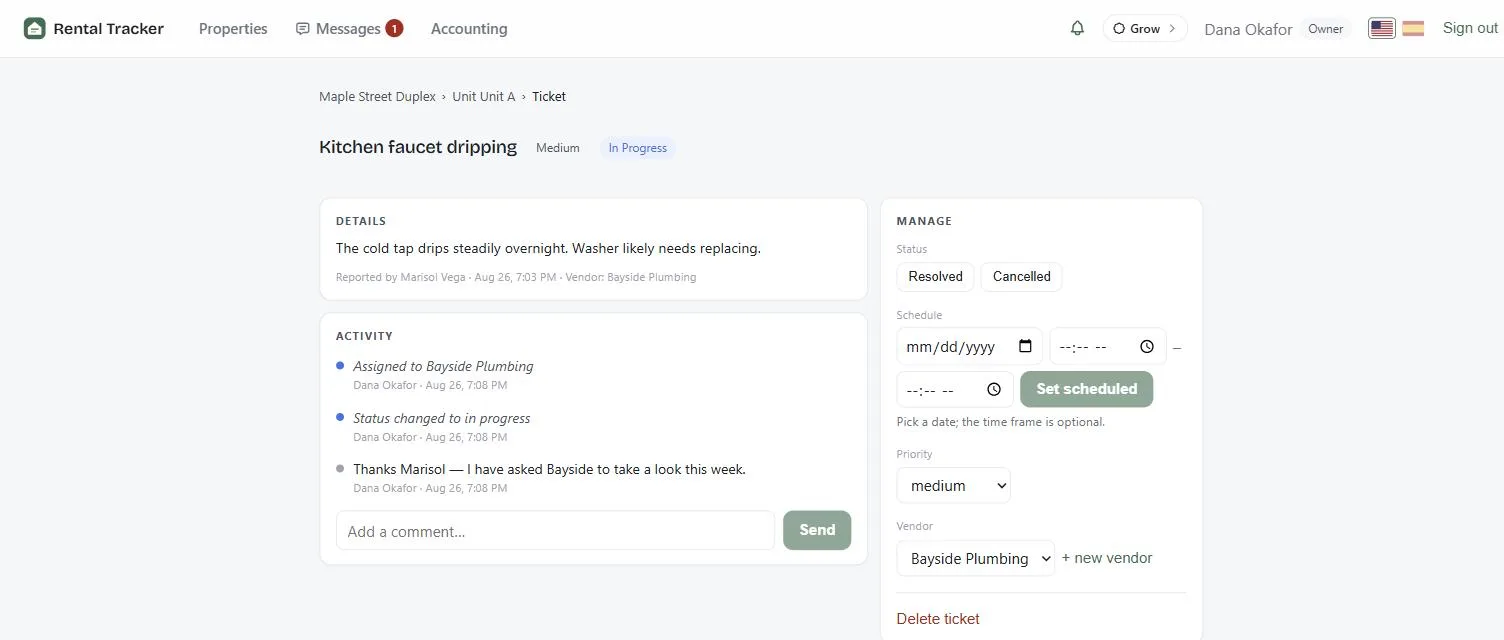
Collect rent by bank transfer or Zelle, follow every repair from the tenant’s report to the fix, and sign leases online — in English or Spanish, for you and for your tenants.
One unit free. No credit card required. Tenants are always free.
The problem
One place instead of five.
Before:
Rent in a spreadsheetWith Rental Tracker: Rent on one dashboard
Before:
Repairs lost in textsWith Rental Tracker: Every repair tracked
Before:
Leases in emailWith Rental Tracker: Leases filed by unit
Before:
Chasing tenantsWith Rental Tracker: Reminders sent for you
Before:
English onlyWith Rental Tracker: English and Spanish
How it works
Set up in three steps.
Add your property
Units, rent and lease terms.
Invite your tenants
They get a free portal, in English or Spanish.
Run it from one place
Rent, repairs, documents and messages.
What it does
The whole job, not half of it
From the first application to the final move-out, every step lives in the same system.
 Online rent collection
Monthly charges post automatically; tenants pay by bank transfer or Zelle; late fees apply on their own schedule.
 Listings & rental search
Publish a vacancy with photos and it appears in the public rental search, where renters can apply online.
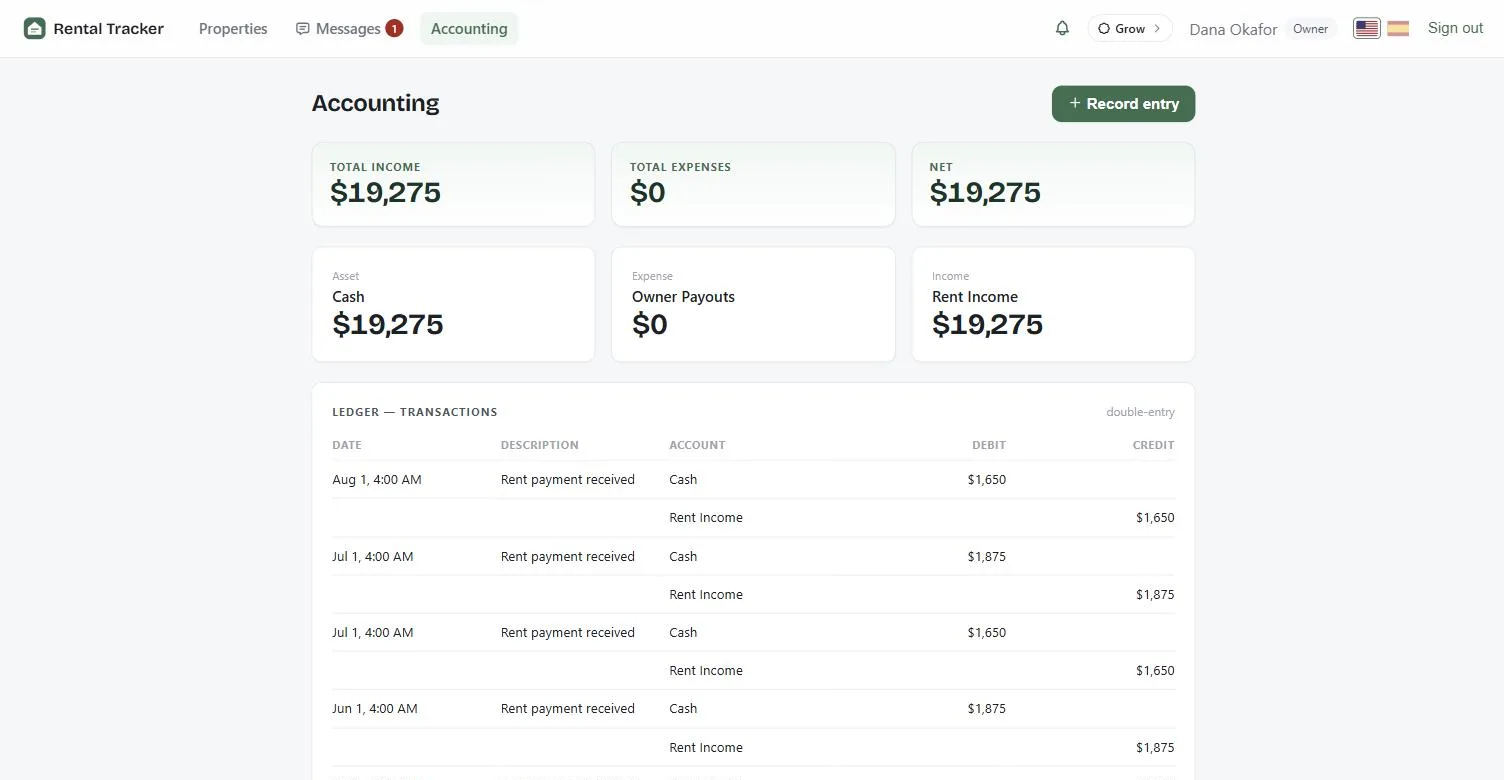
 Double-entry accounting
Every payment posts debit-and-credit to a real ledger — owner statements, rent roll, and delinquency reports included.
 Maintenance & vendors
Tenants report issues; you assign vendors and track every ticket through a status workflow with a full timeline.
 Messaging
Property-scoped conversations that keep landlords, tenants, and vendors on the record.
 Documents
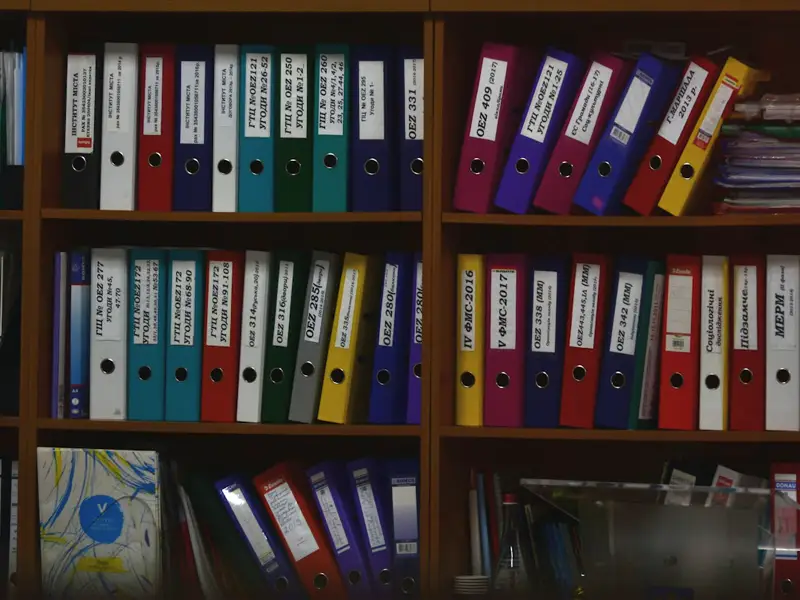
Upload, store, and share files on any lease or application — everything filed where it belongs.
 E-signatures
Place fields on the lease PDF and collect click-to-sign signatures with signer, time, and address recorded.
 Roles & shared access
Invite managers per property — owner, manager, tenant, vendor each see exactly what their role allows.
 Notifications & reminders
Rent reminders, overdue alerts, and activity — in-app and by email.
Filling a vacancy
Advertise the unit, and take applications in the same place you manage it.
A listing you publish appears in the public rental search on this site, and the applications come back attached to the unit — not to an inbox you then have to sort out.
 Example listing
- 3 bed
- 2 bath
Publish it with photos
Add the rent, the deposit, the bedrooms and the photos to a unit you already have. No second system to keep in step.
Renters find it here
It appears in the rental search on this site, where renters look by ZIP code and open the listing page.
They apply without an account
Residence history, employment, income and references, filled in by the renter — no sign-up, no password, no app to download.
You review it on the unit
Every application lands on the unit it is for, so two applicants for the same place sit side by side instead of in a thread.
English and Spanish
The same screen, in whichever language each person reads.
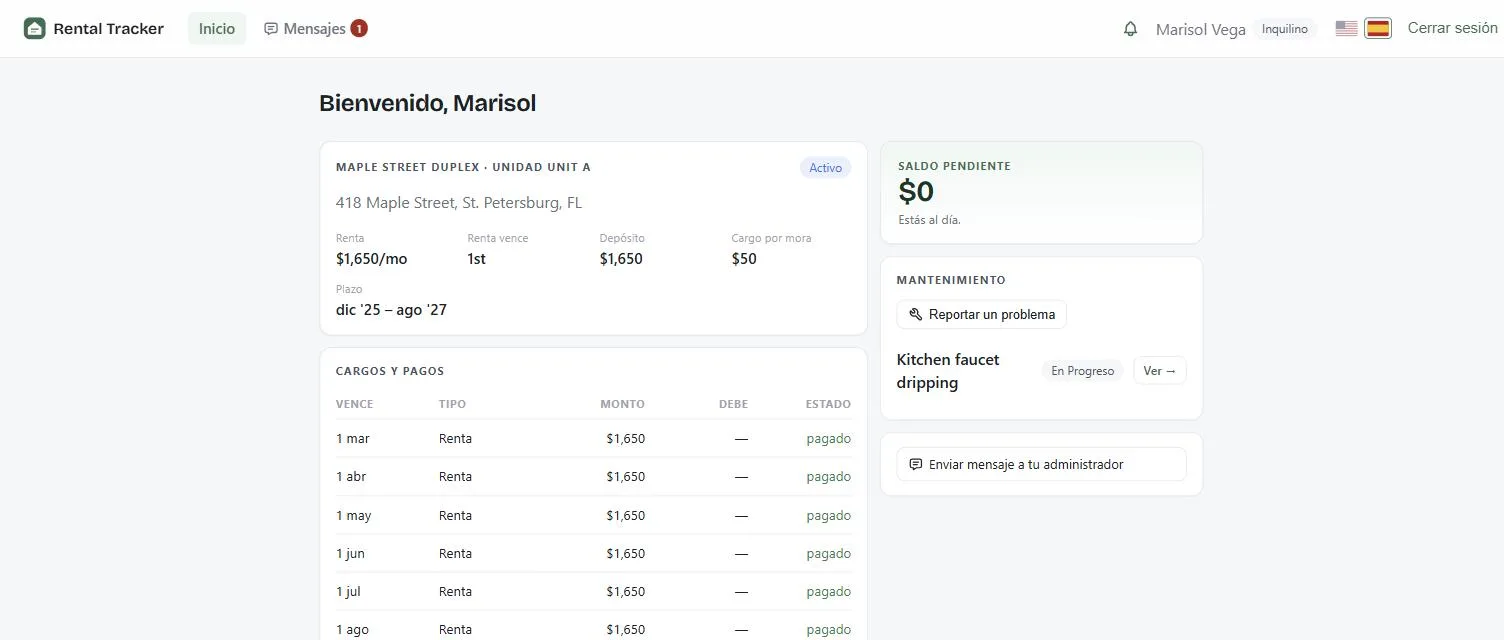
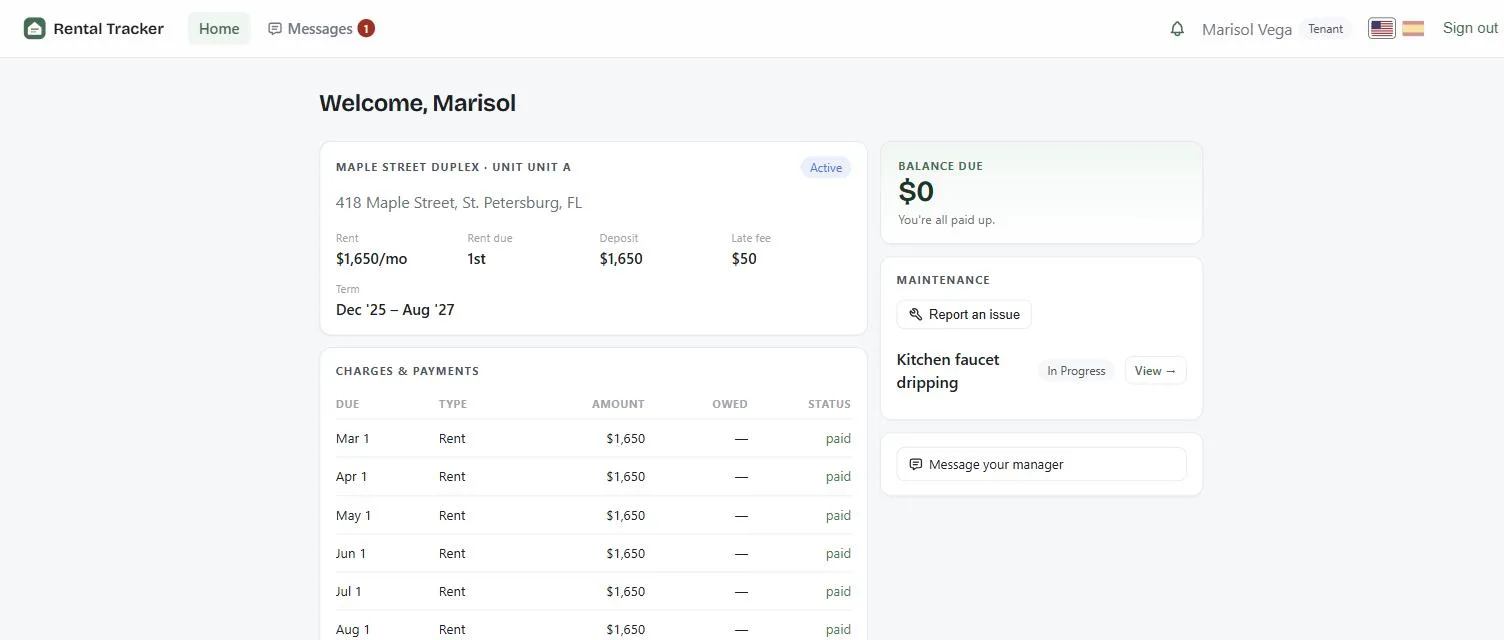
From the tenant screen
- Balance due
- Saldo pendiente
- You're all paid up.
- Estás al día.
- Charges & payments
- Cargos y pagos
- Report a repair
- Reportar una reparación
- Message your landlord
- Enviar mensaje a tu arrendador
Every person picks their own language. Nobody has to read a lease, a balance, or a repair update in a language they are guessing at.
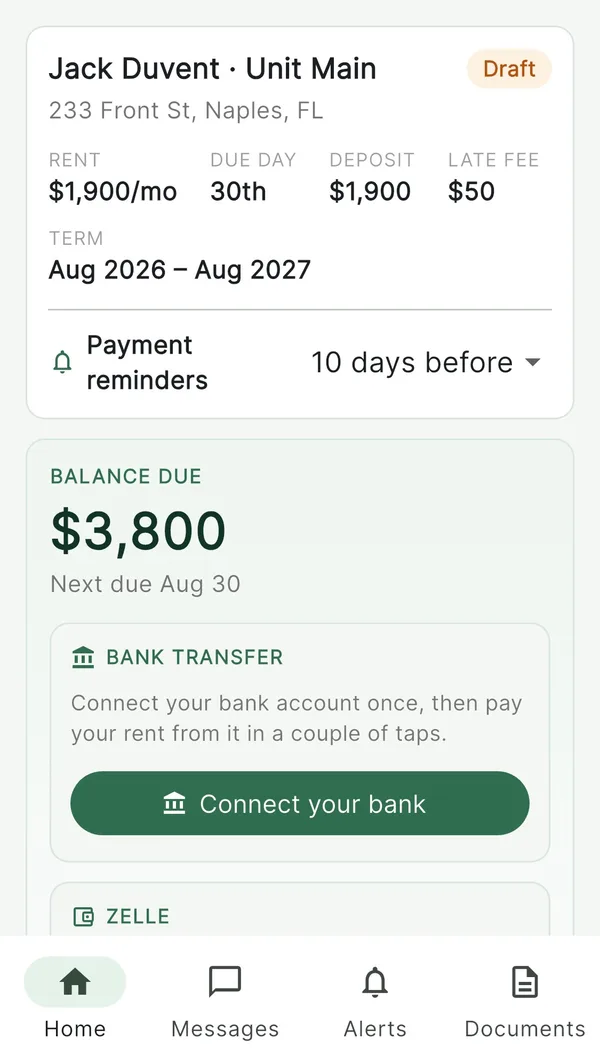
Now on iPhone and Android
Pay rent, sign documents, report issues and message your landlord.
The Rental Tracker app keeps everything about your tenancy in one place — your balance, your lease documents, your repairs and your messages. In English or Spanish, whichever you prefer.
Free on the App Store for iPhone and iPad, and on Google Play for Android.
- Pay rent
- Sign documents
- Report issues
- Message your landlord
Free for tenants, always. Payment methods are chosen by your landlord.


Why we built it
Made for the landlord with keys on their belt
Most rental software is built for companies with a thousand doors and a back office. Rental Tracker is built for the other landlords — the ones with a handful of units, tenants they know by name, and books they keep themselves.
That is why it does the whole job in one place — rent, leases, repairs, messages, and real double-entry books — and why it ships in English and Spanish, because that is what buildings actually sound like.